What this guide helps you decide
A process-first guide to connecting triggers, actions and approvals without treating every AI product as the same kind of automation.
What AI workflow automation means
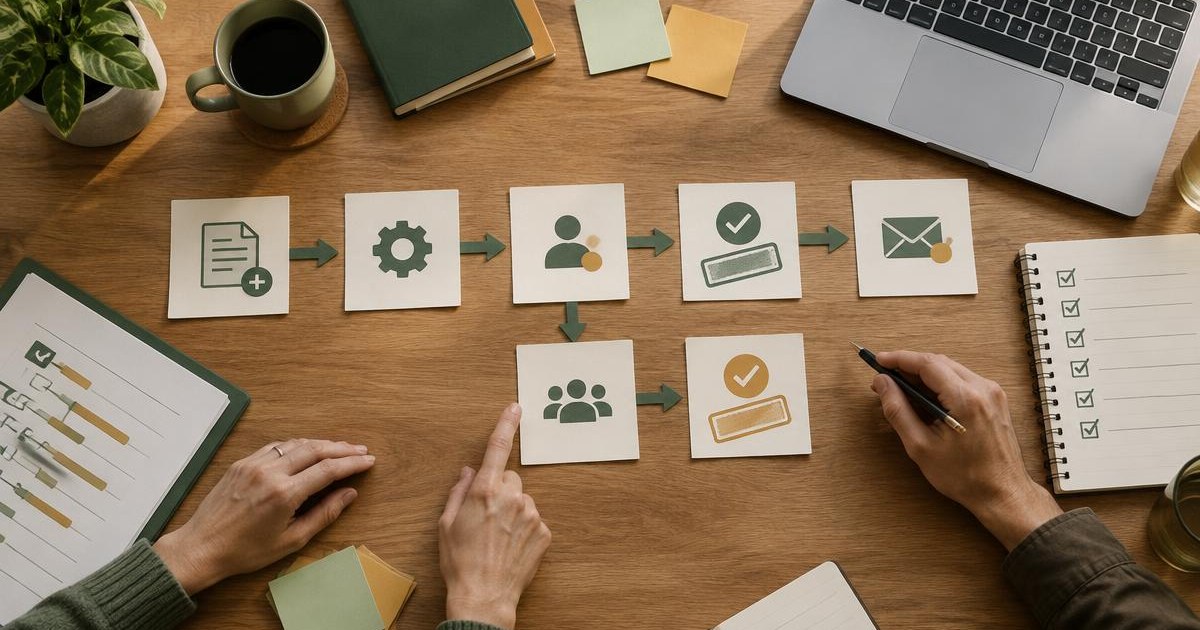
A workflow connects a trigger to a sequence of actions, records and decisions. AI can help interpret language, classify a request or draft an output inside that workflow. The surrounding rules still determine who owns the work, what data is available and when a person must approve the result.
A chatbot, receptionist, content generator and general assistant may each participate in a workflow, but none automatically provides the full process. Integration, state, monitoring and recovery are separate requirements.
Map the process before the tools
Choose one repetitive process and write its current path from start to finish.
- Trigger: what starts the work?
- Inputs: what information must be present?
- Rules: which decisions are fixed and which need judgment?
- Actions: what should happen and in which system?
- Approval: who checks customer-facing or consequential output?
- Record: where is the final status stored?
- Exception: what stops the workflow or sends it to a person?
Rule-based automation, AI steps and agents
Use ordinary rules when the input and desired action are predictable. Use AI selectively for tasks such as extracting a request from free text or drafting a summary. An agent may perform a broader sequence, but that wider access increases the need for limits, logs and approval.
Do not add AI where a simple form, notification or fixed integration is clearer and easier to audit.
Human approval and monitoring
Name an owner before launch. Log inputs, actions, errors and overrides without retaining unnecessary sensitive data. Review both successful and failed cases, because a workflow can complete technically while producing a poor business outcome.
- Require approval for money, contracts, safety or customer promises.
- Set limits on which records and tools the workflow can access.
- Alert a person when required information is missing.
- Keep a manual fallback and a way to pause the workflow.
- Measure correction rate, turnaround time and full operating cost.
Implementation complexity and cost
The visible subscription is only one cost. Include setup, integrations, model or usage charges, staff review, error correction and maintenance when business rules change. A broad product bundle may still require substantial configuration.
Begin with test data and a narrow volume. Expand only after the workflow handles common exceptions and staff understand how to intervene.
When automation may not be appropriate
Avoid automating a process that is rare, unstable, poorly understood or highly sensitive. If staff cannot agree on the current rule, software will not resolve the underlying ambiguity. Human-led work may also be preferable when empathy, negotiation or professional judgment is central.
Questions to ask before choosing a system
- 01What exact trigger and finished result are supported?
- 02Which integrations are documented, and what happens when one fails?
- 03Can every action be logged and reversed?
- 04Where does human approval occur?
- 05What data permissions does the workflow require?
- 06Which usage, hosting or third-party costs are separate?
- 07Can the process continue manually during an outage?
Documented product examples
These products have different documented scopes. They are examples of approaches—not a like-for-like ranking or an automatic recommendation.
Method: material product claims below come from product-specific vendor pages checked on October 1, 2026. SmallBiz AI Checkup did not independently test operation, output quality, integrations or business outcomes.
ClawAI Army
Vendor-documented workflow agents that return files, pages, campaigns, videos, and social posts through chat.
- Vendor lists 250+ AI skills and 55+ done-for-you workflow agents commanded from chat.
Not verified: No independent testing, public technical documentation, or verified privacy/security details were found.
Vendor documentation checked 2026-10-01. Not independently tested by SmallBiz AI Checkup.
View vendor detailsClaw Agents AI
Vendor-documented multi-agent production of marketing deliverables from a messaging interface.
- Vendor describes agents producing content, campaign assets, videos, and pages from chat commands.
Not verified: Public technical documentation, stable pricing, licensing terms, privacy, and security details remain unverified.
Vendor documentation checked 2026-10-01. Not independently tested by SmallBiz AI Checkup.
View vendor detailsProsperaBuilder
Vendor-documented AI-assisted content and campaign production through preconfigured business workspaces.
- Vendor describes five ready-made AI businesses, trained AI employees, campaign work, and content deliverables.
Not verified: Website/page-building capability, technical documentation, stable pricing, and legal entity details remain unverified.
Vendor documentation checked 2026-10-01. Not independently tested by SmallBiz AI Checkup.
View vendor detailsAgentSmith AI Receptionist
Vendor-documented call answering, appointment booking, caller responses, and follow-up calling.
- Vendor says it answers calls, books appointments, handles pricing and hours questions, and follows up with callers who did not book.
- Vendor documents Zapier-based actions during calls.
Not verified: Telephony compliance, data handling, stable pricing, and detailed integration documentation remain unverified.
Vendor documentation checked 2026-10-01. Not independently tested by SmallBiz AI Checkup.
View vendor detailsOpenClaw commercial family
Not verified: No reliable product-specific evidence was available during this source check.
Vendor documentation checked date unavailable. Not independently tested by SmallBiz AI Checkup.
Review the documented optionsAffiliate disclosure: We may earn a commission at no extra cost to you if you purchase through a vendor link. Inclusion is based on documented relevance, not a product ranking.
Common questions
Is workflow automation the same as a chatbot?
No. A chatbot is an interface; a workflow also defines triggers, actions, records, approvals and exceptions.
Do I need an AI agent?
Not necessarily. Fixed rules are often clearer for predictable work. Add AI only where interpretation or drafting creates specific value.
What should be automated first?
Choose a frequent, low-risk process with clear inputs, an accountable owner and an output that is easy to verify.